Senders
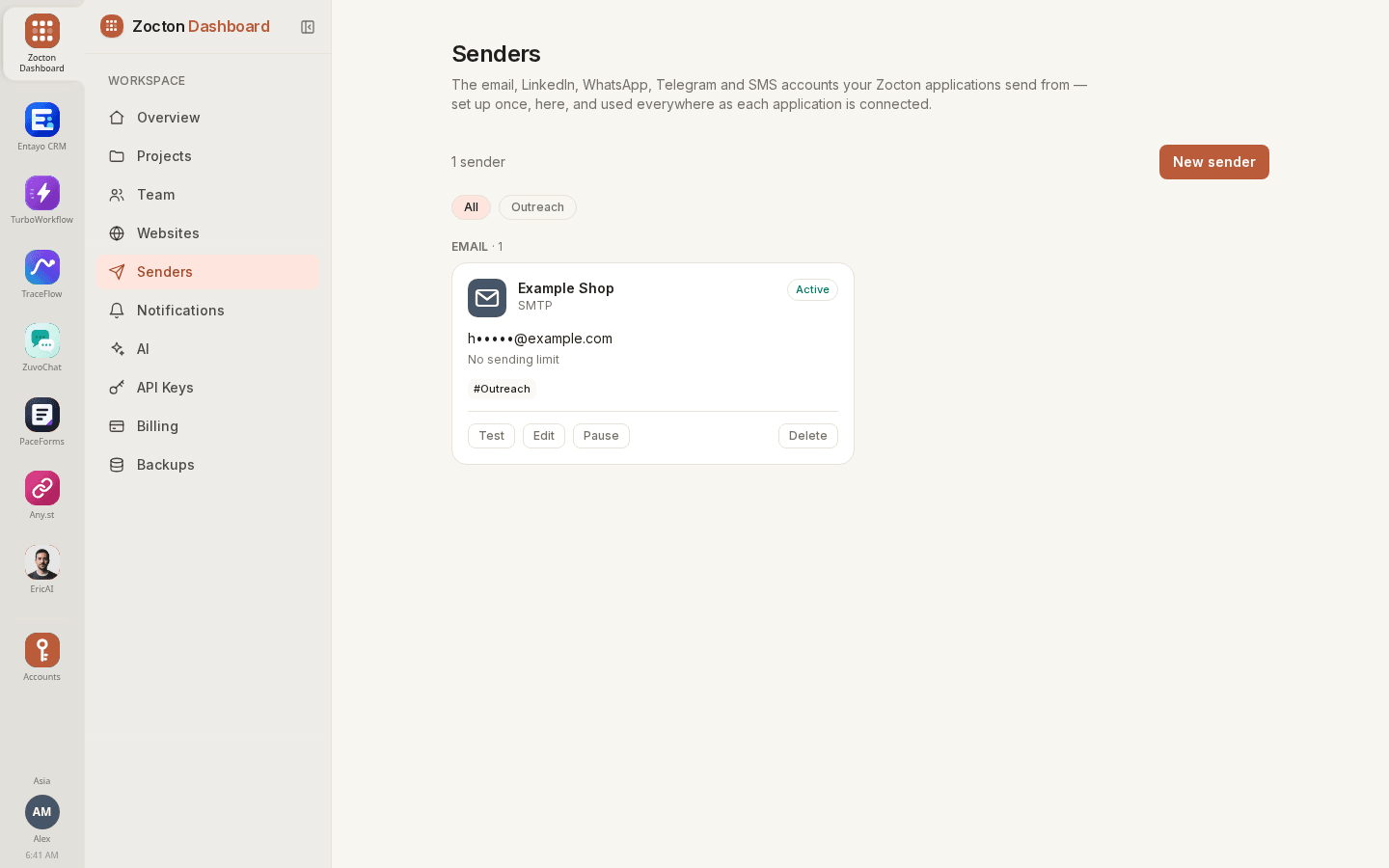
A sender is an account a Zocton app sends from — a Gmail or Outlook mailbox, a mail server, a WhatsApp number, a LinkedIn profile, a Telegram bot or an SMS number. You set each one up once, on the Zocton Dashboard, and TurboWorkflow, ZuvoChat, PaceForms and Entayo CRM all use it. The mail goes out as you.
Where to find it
Zocton Dashboard → Senders. The Add sender links in the apps bring you here.
Before you start
- You need to be the workspace owner or an admin.
- Have the account's sign-in or settings to hand (for example your SMTP server details, or your phone with WhatsApp).
Add a sender
- Click New sender.
- Under What will you send from?, pick the type.
- Connect it (see the types below), then click Next.
- Fill in the Details — the name and, for email, the From address.
- For email, add a Signature if you like, and optional hourly and daily limits. Click Add sender.
The types
| Type | How you connect it |
|---|---|
| Gmail | Click Connect Gmail and sign in with Google. |
| Outlook | Click Connect Outlook and sign in with Microsoft (Microsoft 365 or Outlook). |
| SMTP | Any mail server: Server, Port, Username, Password. Tick Use TLS from the start (port 465) if your server needs it. |
| Amazon SES | Region, Access key ID and Secret access key, then Test & fetch senders and pick the address under Send from. |
| Brevo | Your Brevo API key, then Test & fetch senders. |
| Email (IMAP) | For ZuvoChat: it reads a mailbox over IMAP and replies over SMTP. IMAP server, port and login; the folder to read (empty means INBOX); the SMTP server, and an SMTP login if it is not the IMAP one. |
| Email inbox | For ZuvoChat: receive mail at an inbound address and reply over SMTP. |
| WhatsApp (Cloud API) | Meta's WhatsApp Business Cloud API: Phone number ID, Access token, App secret and Verify token, plus optional Business account ID, phone number and webhook secret. |
| WhatsApp (QR) | Link a number by QR — see below. |
| Your LinkedIn session — see below. | |
| Telegram | A Telegram bot, by its token. |
| SMS (Twilio) | Text messages from a Twilio number. |
Gmail and Outlook are never typed into a form; you always sign in with Google or Microsoft. Where a data centre cannot connect one yet, its tile says Not available in this region yet.
WhatsApp by QR
- Pick WhatsApp (QR) and keep Zocton WhatsApp (nothing to set up).
- Click Show the QR code.
- On your phone, open WhatsApp → Settings → Linked devices → Link a device, and scan the code.
The sender saves itself once the phone is linked. You can then choose Use in ZuvoChat or Later. If the phone is unlinked, the card says Disconnected — click Link again. If you run your own WAHA server, choose it instead and give its address, session and key.
- Pick LinkedIn.
- Paste Your li_at cookie — the screen explains where to find it in your browser.
- Click Connect LinkedIn. If LinkedIn asks for a check, type the Verification code and click Verify.
Keep Zocton's LinkedIn connection (nothing to set up), or use your own Unipile account.
Signatures
Each email sender has its own signature, added at the Signature & limits step or with Edit. Use Visual to write it with bold, lists, links and images, or HTML to paste a designed signature — it is kept exactly as it is.
Options
| On a sender | What it does |
|---|---|
| Test | Checks the connection. A failed test never stops you saving. Gmail, Outlook, SES and LinkedIn are checked by the app that sends with them. |
| Edit | Change the details, signature, limits and tags. Saved passwords and keys are never shown; leave the field empty to keep them. |
| Reconnect | Sign in again to Gmail, Outlook or LinkedIn. |
| Pause / Resume | Stop sending from it in every app, and start again. |
| Delete | Removes the sender and its saved connection, in every app, at once. For a channel ZuvoChat uses, choose whether to keep its ZuvoChat conversations. |
| Hourly and daily limit | Caps shared by every app that sends through this sender. Empty means none. |
| Tags | Optional labels such as Sales or Marketing, to filter the list. |
Good to know
- A card can say Active, Paused, Needs reconnecting or Problem.
- One sender, every app. Pausing, deleting or changing a sender changes it everywhere.
- Senders restored from a backup come back paused and need connecting again.